How to Verify a Safe Transaction Before You Sign It
A matching hash on your hardware wallet doesn’t mean a Safe transaction is safe. Learn how to properly verify destination, calldata, and intent before signing.

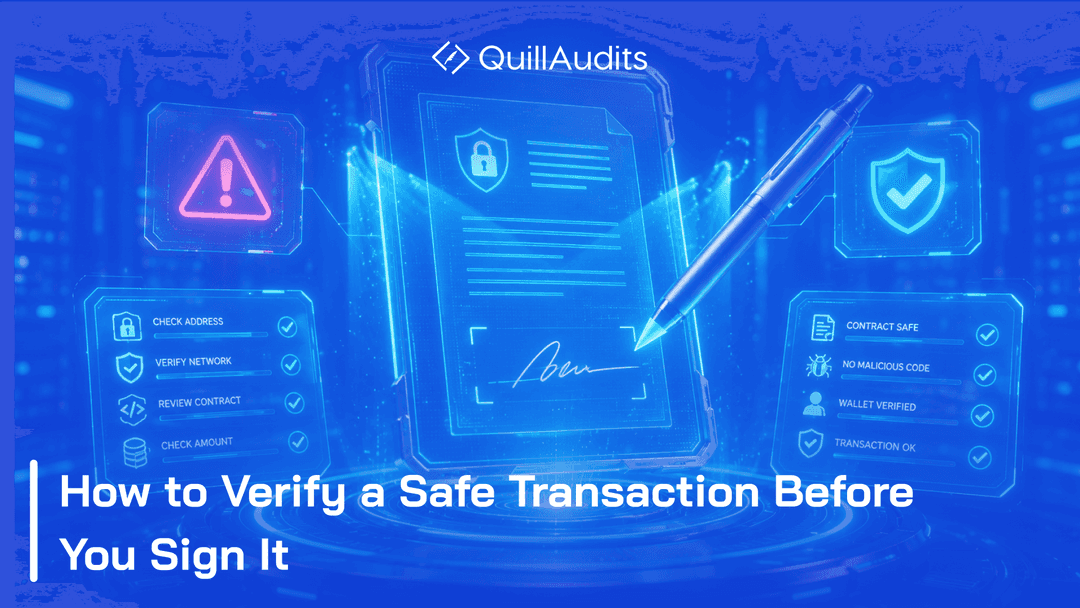
A hash is just a string of characters. Your hardware wallet shows you one before every signature, and most people trust it without knowing what it's actually checking. This is a walkthrough of what checking it for real looks like, using Transaction Inspector.
Why This Matters
Your hardware wallet shows you a hash, not what the transaction actually does. That gap is where every major multisig loss started.
A hash is a fingerprint, nothing more. It tells you a transaction hasn't been changed since it was created. It does not tell you what that transaction actually does. Those are two different questions. Checking only one of them is how people end up signing something they never meant to approve.
The Bybit Case
In February 2025, Bybit signers approved a transaction that looked like a routine transfer. It was a delegatecall that changed the Safe's own implementation, and $1.5B moved as a result. The hash they were shown was technically correct. It just wasn't checked against what the transaction actually did.
An independent decode would have shown a delegatecall rewriting the Safe's implementation, not a transfer. That single detail was the whole gap.
What Verification Actually Means
A Safe transaction hash comes from two parts, a domain hash and a message hash, and both need to match what you intended to approve.
The domain hash covers which Safe, on which chain. The message hash covers what the transaction itself contains, the destination, the value, the exact call. Both get combined into the one hash your hardware wallet shows you. If either half is wrong, the whole hash changes, which is exactly why it works as a check.
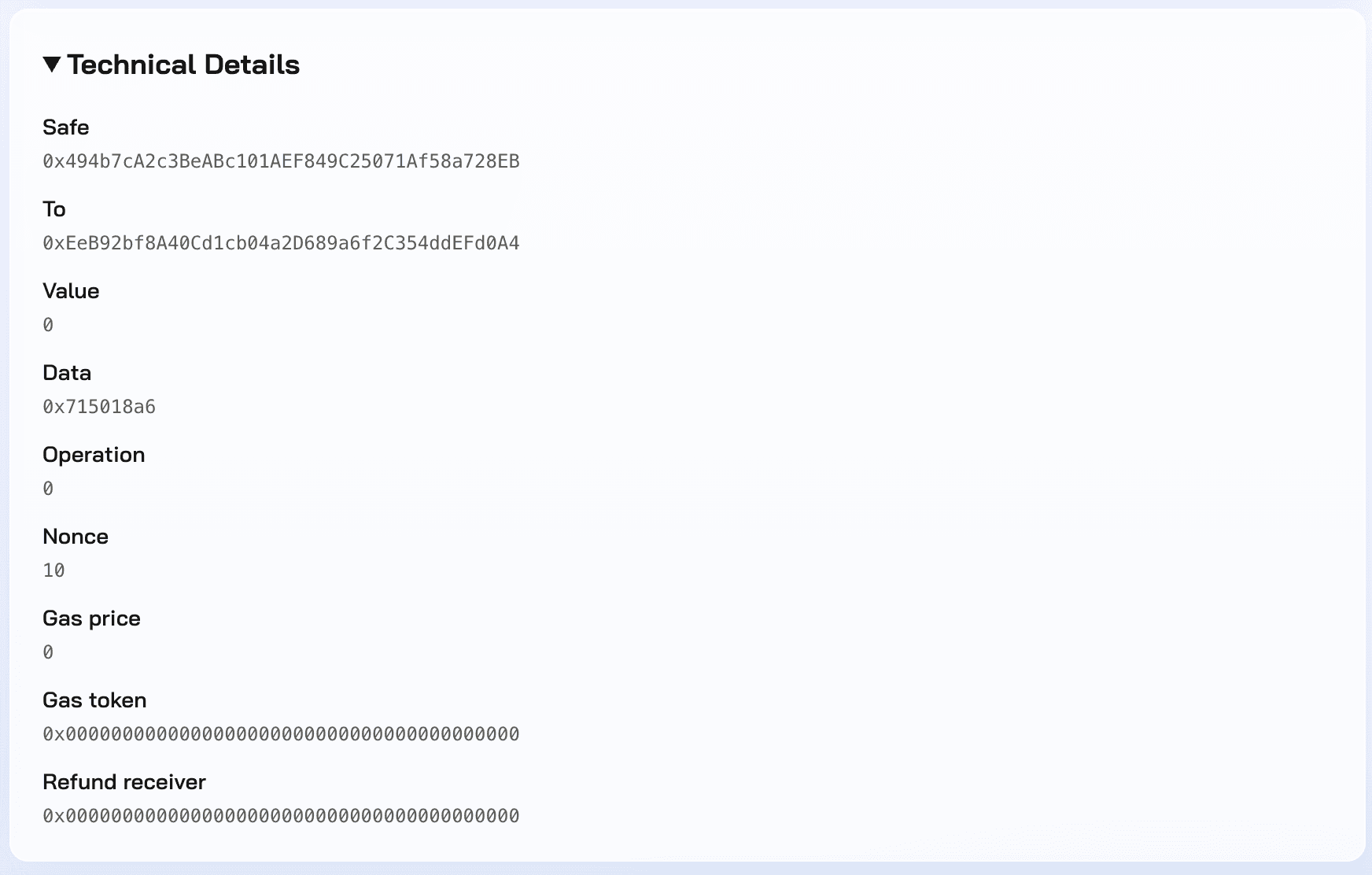
These are the actual fields that go into the hash: this Safe, this chain, this destination, this value, this exact call. Change any one of them and the hash changes with it.
Decoding the Transaction
Paste your safe address into Transaction Inspector, no connection or signature needed, and see the decoded action: target contract, call type, assets moved.
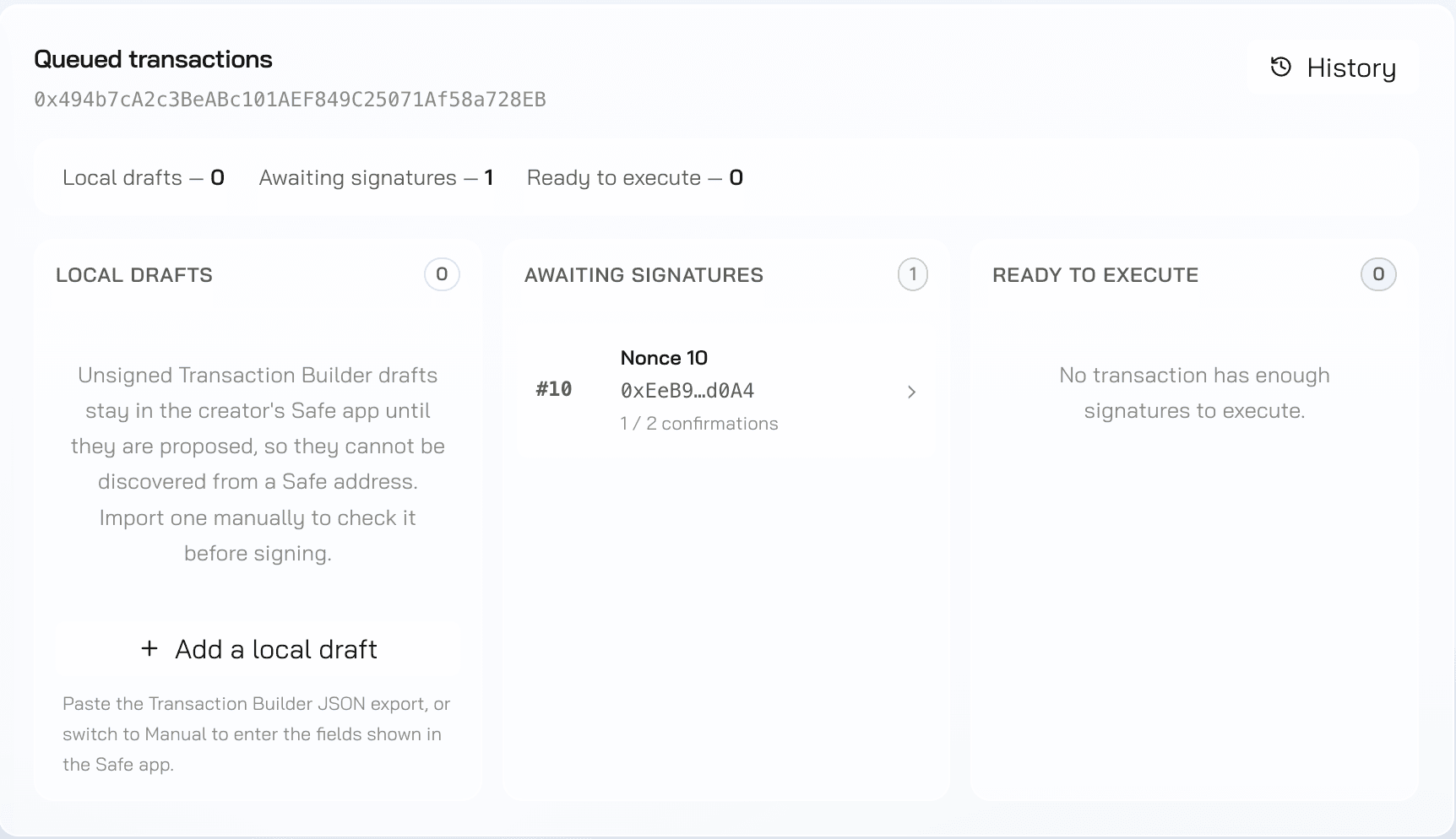
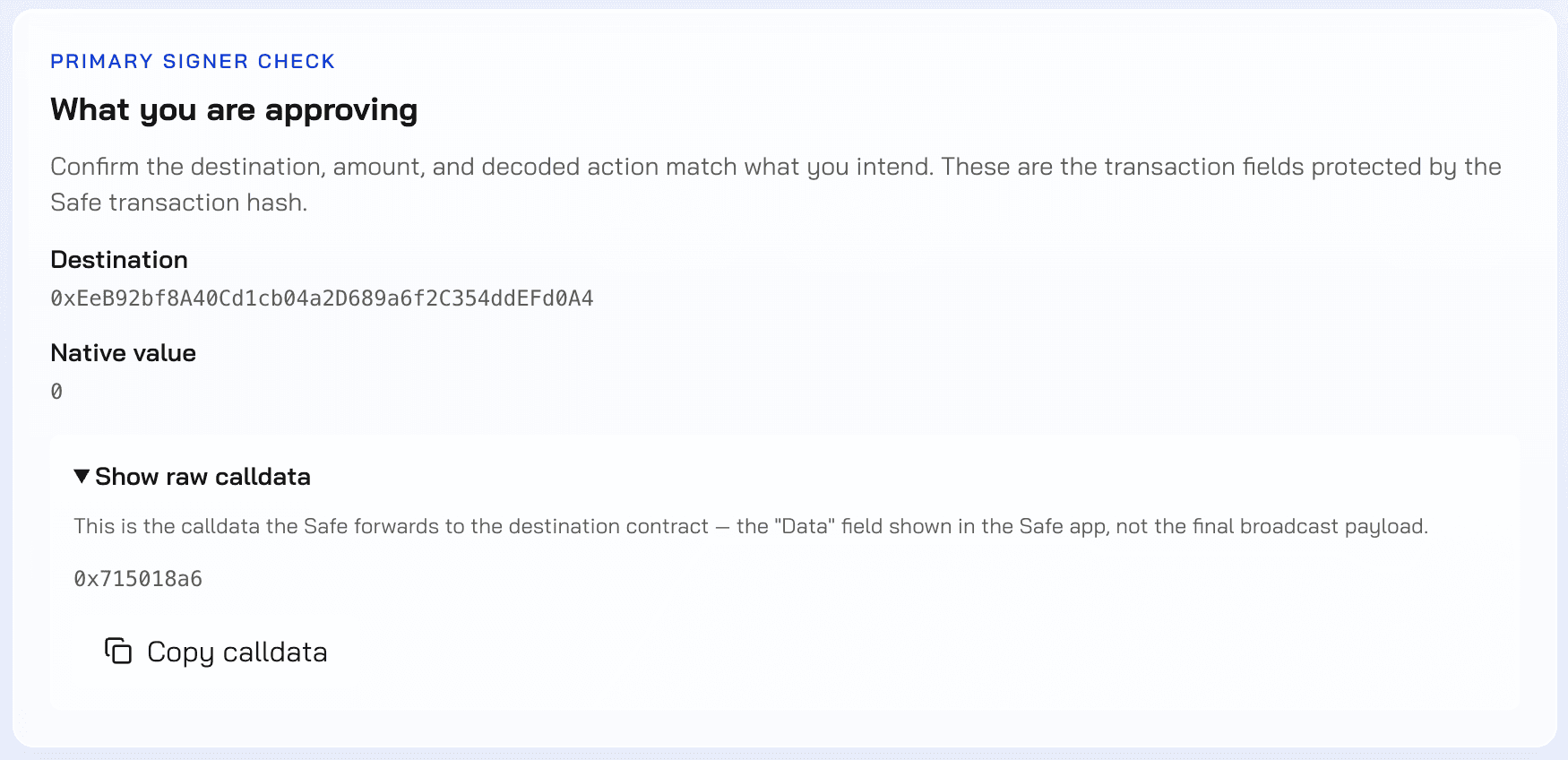
On this transaction, the destination is a contract, the value is zero, and the call is renounceOwnership. In plain terms, this transaction permanently gives up ownership of that contract. Nothing about a zero-value call looks urgent on its own. Decoded, it's a permanent action, which is exactly the kind of thing worth seeing before you sign, not after.
Matching the Hash
The domain hash and message hash shown next to what your hardware wallet is displaying, side by side.
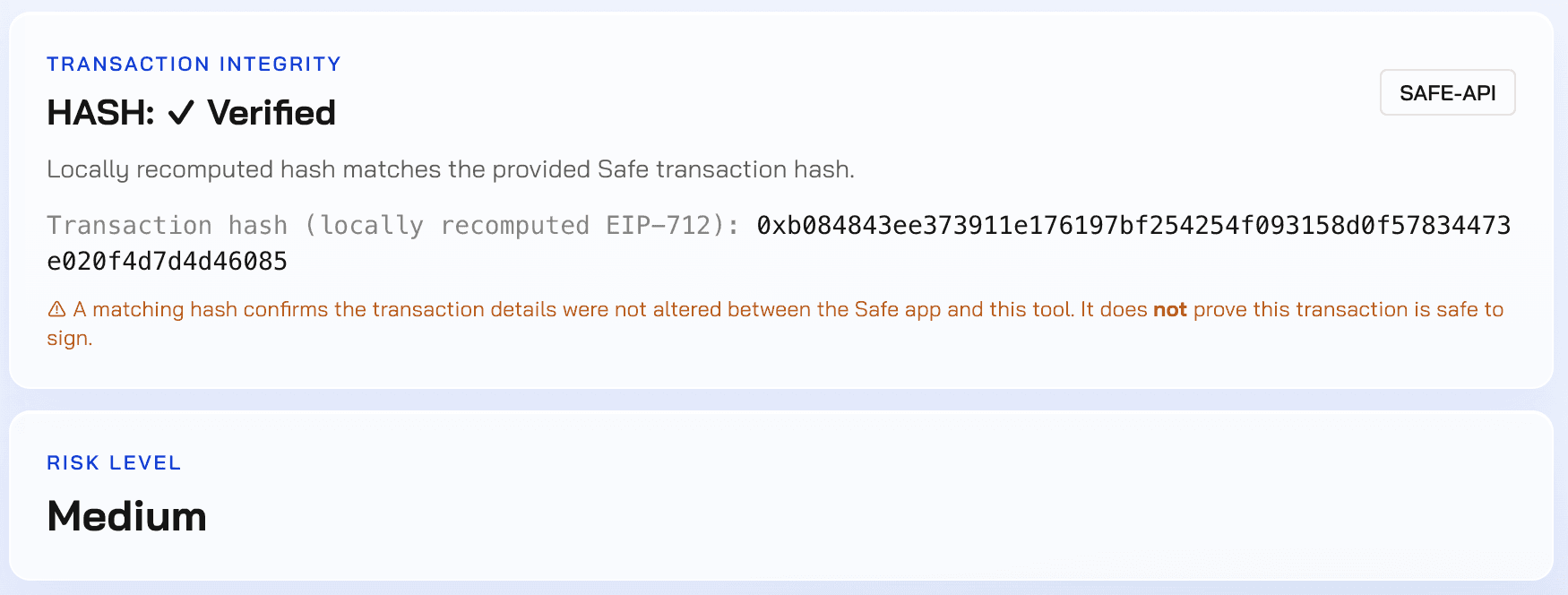
The hash here comes back verified. It matches what was provided. But the report says something important right next to that result: a matching hash confirms the transaction wasn't altered in transit. It does not prove the transaction is safe to sign. Those are two separate claims, and only one of them is settled here.
Reading a Mismatch
What it looks like when the hash on your Ledger or Trezor doesn't line up with what's decoded, and why that's the signal to stop.
On this transaction, the hash matched cleanly. But a matching hash isn't the only thing that can tell you to stop. This same transaction still comes back with a medium severity finding, because the call itself couldn't be fully decoded.
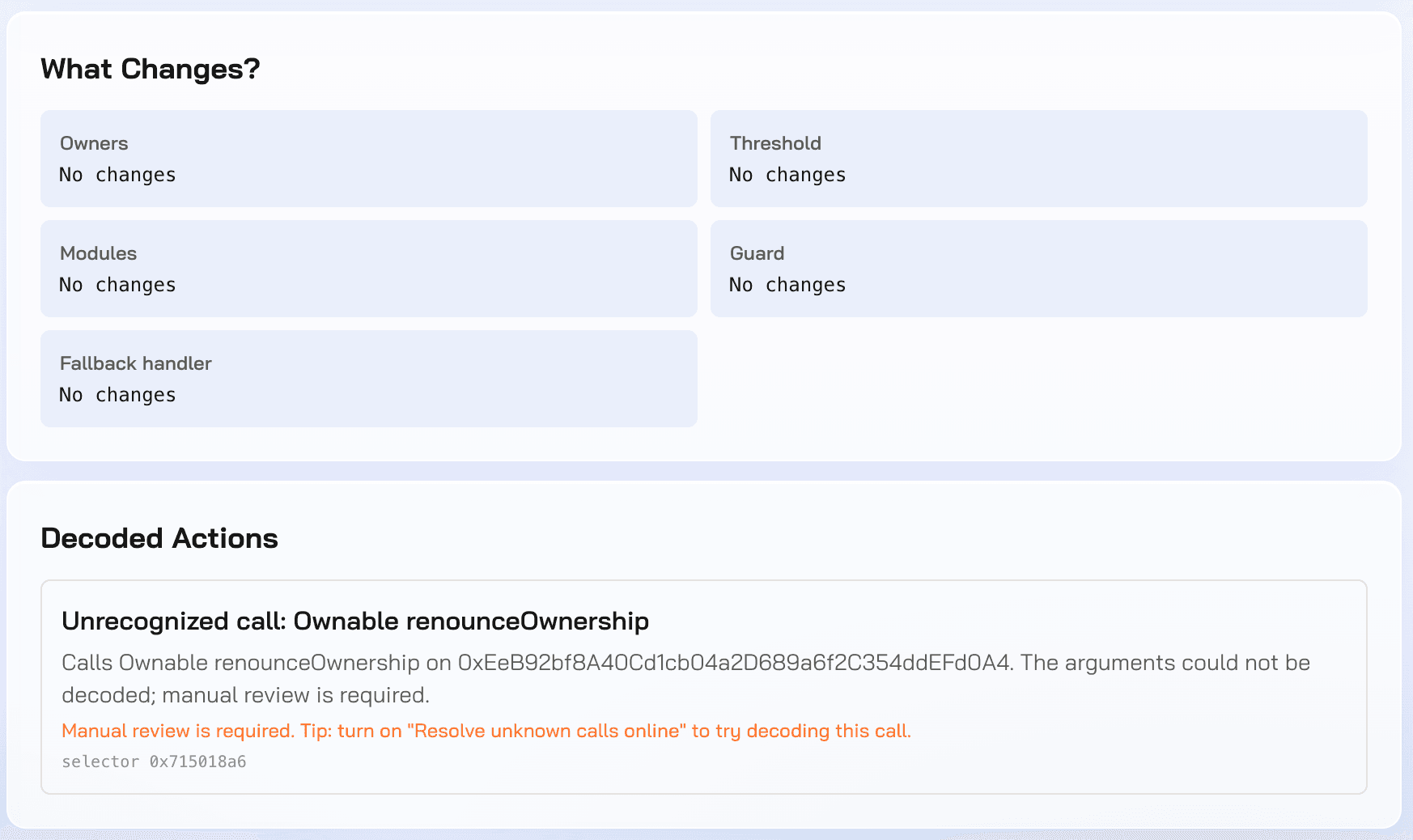
The renounceOwnership call is recognized by its selector, but its arguments couldn't be decoded, so the report flags it for manual review rather than guessing. A verified hash and an unclear call are two different signals. Either one on its own is enough reason to slow down before signing.
Making It Routine
Do this before every transaction, not just the large ones.
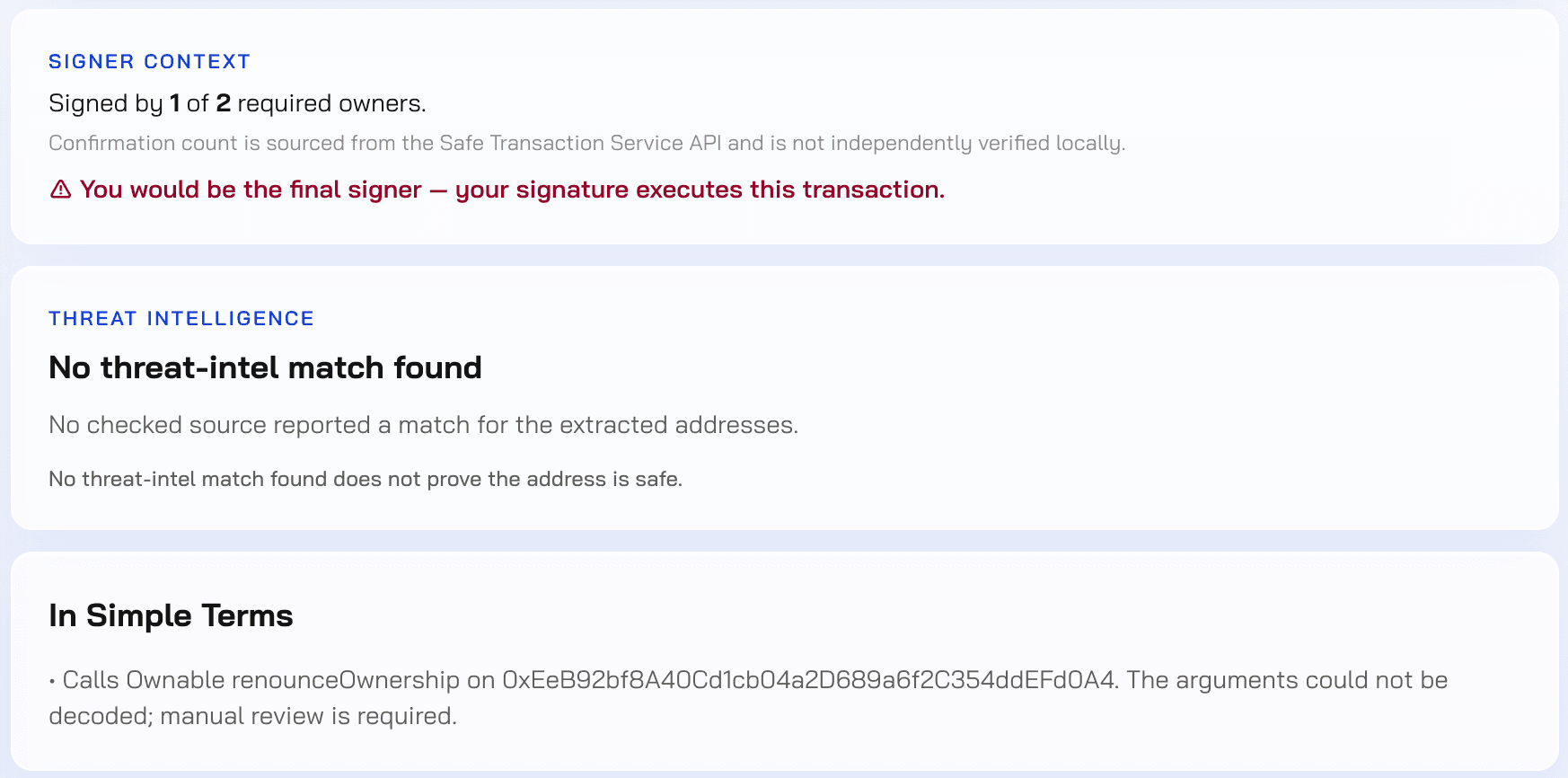
This transaction already has 1 of 2 required signatures. That means the next one doesn't just add to a pending count, it executes the transaction. That's the moment this check actually matters, and it looks the same whether the transaction is worth ten dollars or ten million. Running it every time is what makes it useful the one time it counts.

Contents